
Why Pet GPS Trackers Lose Signal can make pet care more convenient, but the useful details live behind the marketing headline. This guide walks through settings, equipment checks, everyday limits, and a practical way to test your own setup. Never interpret a location marker as a safety guarantee. The device cannot replace supervision, safe containment, readable identification, or a registered microchip. If your pet shows discomfort from wearing equipment, remove it safely and contact your veterinarian. See our veterinary disclaimer for the boundary between general guidance and medical advice.
Know the two links in a tracking system
A typical cellular GPS pet tracker first estimates where it is, then communicates that location through a data network to the owner’s phone. Satellite navigation and mobile data are different links. A device might receive satellite signals but fail to upload a point, or have cellular coverage while its position estimate is uncertain. Some devices add Wi-Fi or Bluetooth functions, but those are model-specific. Understanding the links prevents you from treating every blank map as a broken satellite.
Expect weaker GPS under roofs
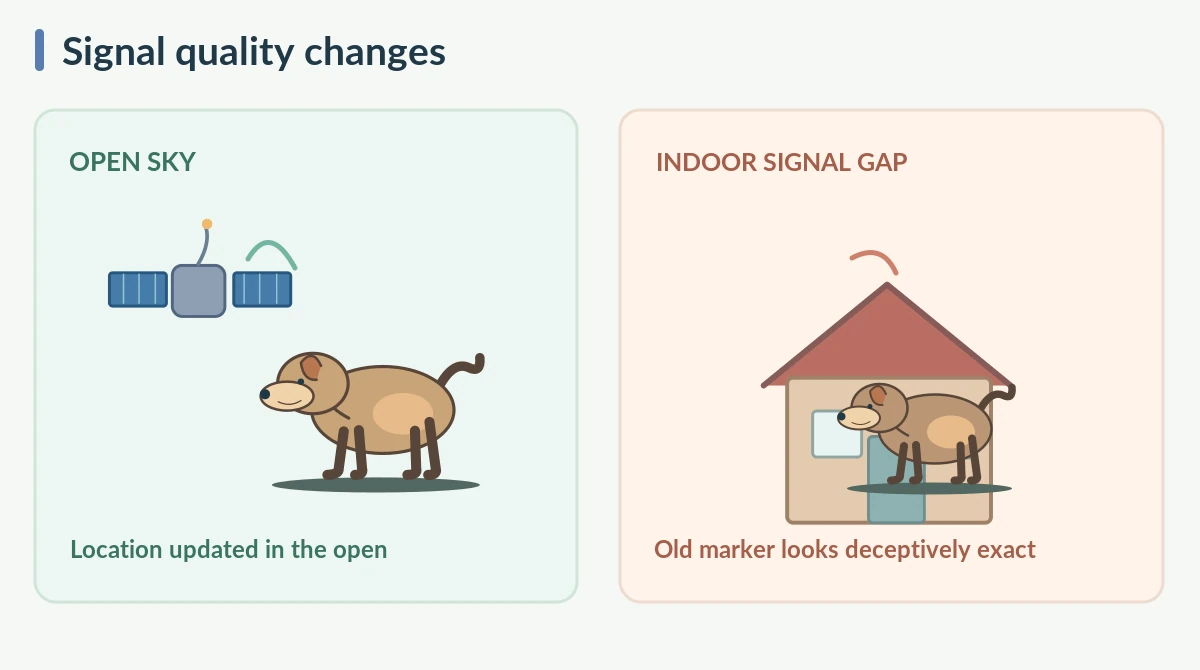
GPS generally works best with a broad view of the sky. Roofs, tunnels, garages, and tall buildings can block or reflect satellite signals. Trees can also affect reception. A pet resting in an interior room may therefore appear at an earlier outdoor location or at a rough estimate. GPS.gov explicitly identifies buildings, bridges, indoor spaces, and reflections as accuracy challenges. Do not use a slightly moving indoor map pin as proof that the pet is walking around the house.
Look for the timestamp before the dot
A bright position marker is persuasive, but the important question is when the tracker reported it. Check the time of the last successful update. If the app labels a point as older, treat it as a clue to where tracking last worked, not proof of the pet’s present position. Some maps interpolate between measurements or show an approximate area. Learn the difference between a recent, uncertain point and a stale, precise-looking point. The visual interface can feel more certain than the underlying data.

Understand cellular dead zones
Many pet trackers need supported cellular service to send location updates. Coverage can vary with terrain, building materials, carrier roaming agreements, network type, and region. Your phone showing some bars does not guarantee the tracker uses that same carrier or band. Before buying, examine the provider’s coverage map and its supported countries or networks. If you travel beyond service, learn whether points are stored and uploaded later. Never assume a tracker will provide live reports in every wooded trail or rural valley.
Recognize map errors separately
Sometimes a coordinate is reasonable but the map contains an outdated road, wrong address, or mislabeled property. GPS.gov notes that map software can mislead users separately from satellite accuracy. Compare a recent coordinate with recognizable landmarks, if safe to do so. Avoid interpreting a tracker marker inside a nearby building as evidence of entry. Small apparent shifts can result from positioning uncertainty rather than a pet’s actual movement.
Test outdoors in an open area
For basic troubleshooting, charge the tracker and carry it to a safe open outdoor area. Let the device obtain a fresh position according to its manual. Confirm the app updates, then compare with a known location. Keep the pet secure while you test. Next, observe what changes as you move toward a porch or under trees. A repeatable contrast between open sky and shelter helps distinguish environmental limits from a persistent device issue. Do not climb or enter private areas to test signal.
Check subscriptions, app settings, and power
A tracker may need an active cellular plan, correct account assignment, updated firmware, battery power, and phone internet to report. Follow the manufacturer’s troubleshooting order before resetting a device. Some resets can clear settings or affect sharing. Check the last update, service status, tracker indicator, and app permissions. If a location is missing only on one phone, the issue may be local to that phone or account. Write down symptoms before contacting support.
Be careful with location accuracy claims
Accuracy depends on the receiver, the surrounding environment, and software processing. Numbers advertised under open sky should not be treated as yard-level guarantees among buildings or trees. A map circle, if provided, can communicate uncertainty, but not every app uses it consistently. Avoid drawing extremely tight geofences around a doorway. The goal is to understand where an animal may be, not to obtain a perfect pinpoint in every setting.
Use offline plans rather than false certainty
Keep up-to-date collar identification and a registered microchip as independent ways to reunite with your pet. Have a current photo, recent veterinary records, and contact information available. If a tracker loses service, check the last reliable place, then use safe search practices and local animal services as appropriate. Do not chase into unsafe areas based solely on an estimated point. A tracking device is an aid to recovery, not a guarantee of finding an animal.

Choose equipment for your usual landscape
An urban apartment, wooded yard, and remote campground present different signal challenges. Compare supported mobile networks, expected map refresh intervals, and provider documentation for those settings. Ask what happens when the tracker is underground, indoors, or outside coverage. Look for honest explanations of uncertainty and workable troubleshooting instructions. The best choice is a system you understand and can test in your own environment.
How We Research
We compared official satellite-positioning guidance, manufacturer documentation for consumer trackers, and established veterinary information about backup pet identification. Features, prices, and service plans can change by model and country. We describe product-specific details as examples rather than promises that every tracker works the same way. We did not perform independent hardware tests or certify any device. Our source review covers October 2026. Learn about our editorial purpose on the About HubPet page.
Sources
GPS.gov — GPS Accuracy (accessed October 2026).
Tractive — How to Boost Battery Life (accessed October 2026).
Troubleshooting reference: Notification Permissions (accessed October 2026).
Safety note: Keep the pet comfortable and supervise any attachment. Electronics, cables and small components must stay out of chewing reach. Never use an app notification to justify unsafe searches near traffic, water or private property. Consult a veterinarian about irritation or injury from equipment.
They may show a rough or old position, but roofs and walls often reduce satellite reception. Check the timestamp.
Position error or mapping problems can place the marker near the pet’s actual position. Confirm the time and surroundings.
A receiver may determine a position without cellular data, but many consumer pet trackers cannot send it to your phone until connected.
Tree cover can reduce signal quality. The size of the effect varies with the sky view, receiver and other conditions.
Keep the animal safe, check power, account and coverage, and use the last reliable point as a clue rather than a live location.