
A cat feeder with a camera combines food dispensing with a view of part of the feeding area. The view may show whether kibble reached the bowl or a lid moved. It may also show which pet approached. It cannot by itself prove an animal swallowed a measured serving. A feeder may report a successful motor cycle while food remains in the chute. A passing cat may not eat at all. Define what you need to check before paying for video: a history of jams, competition between cats, or reassurance that a shy cat approaches its station. Keep ordinary feeding observation as your primary evidence.
Check camera framing at your cat’s height
Place the feeder where it will remain permanently, then preview the feed from a normal seated cat’s viewpoint. The lens should show the chute opening and usable bowl area without forcing the machine into the center of a walkway. A beautiful wide-angle image of the living room is not helpful if the actual food disappears behind a rim. Bright windows may create glare; a dark corner can hide kibble against a dark bowl. Check image quality during an ordinary daytime meal and in the lighting you use at night. Avoid pointing the device at private spaces, sleeping guests, or neighbors through windows just to capture the bowl.
Understand the meaning of app notifications
Read the exact wording: a feed event often means the motor ran, a camera event often means the sensor recorded motion, and a low-food alert may come from a sensor with its own limits. None of these proves the cat received all planned calories. During setup, compare a notification with the physical quantity released into the bowl. A notification that arrives several minutes late may still be useful for review, but should not trigger repeated remote feeding without checking for leftovers. Test what the app does during brief internet loss. Do not rely on unverified promises of perfect recognition between two similar-looking cats.

Prioritize mechanical reliability over extra video tools
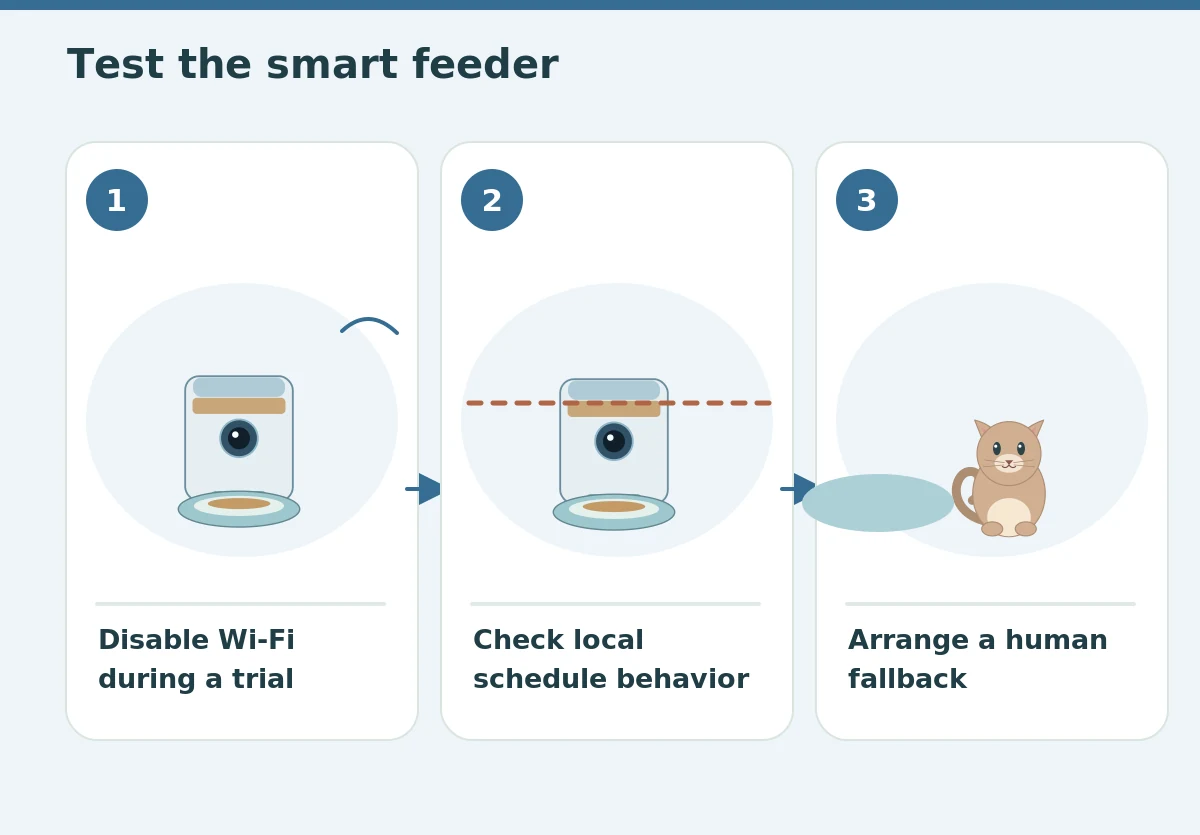
A clear camera does not fix a jammed chute, a lid that a cat can pry open, or a hopper that admits moisture. Assess the feeder as a food appliance first: use only its intended dry-food sizes, inspect the seals, check the removable bowl, and trial repeated drops with your actual kibble. Find out whether the local feeder clock continues when Wi-Fi disconnects and whether power restoration causes a duplicate meal. Look for a battery or alternate power arrangement with behavior explained in the manual. If the feeder cannot operate dependably without cloud service, weigh that risk before allowing it to manage a daily meal.
Choose conservative account and network settings
A camera creates a stream of household images, and some apps store recordings or clips on remote services. Review the brand’s stated data practices, account deletion process, retention settings, and whether you must subscribe to cloud service for useful features. Give the feeder a unique password and enable multifactor authentication if available. Keep firmware and the phone app updated from official channels. Do not share login credentials with casual visitors or post screenshots that reveal your home. Consider whether a camera is necessary at all: a simple timed feeder with a manual check is often less complex and may suit the same feeding need.
Compare live viewing with useful local controls
Some camera feeders require an internet connection for manual remote servings but keep locally saved feeding schedules during an outage. Others may depend heavily on an app service. Distinguish them before travel. Check the physical control panel: can a caregiver dispense and confirm a meal without your phone? Is there an obvious way to pause an accidental schedule? Test a network outage while watching the actual machine, using only scenarios the instructions support. Write down the manual feeding process for a sitter. Convenience should not depend on one person holding an unlocked phone with full access to your household camera.

Make observations without creating food anxiety
Repeatedly broadcasting a voice through the feeder may confuse some cats or cause them to wait anxiously near the device. If two-way audio exists, introduce it gradually and watch behavior rather than assuming your cat appreciates hearing an unseen person. Avoid sending bonus servings simply because the pet appears near the camera. That can train repeated checking at the bowl and disrupt the feeding plan. Instead, use regular scheduled portions, enrichment outside mealtimes, and a separate source of clean water. A device is successful when it supports a predictable routine, not when its notifications continually demand your attention.
Keep safety and cleanliness visible
Take the bowl out after feeding cycles and wash and dry it according to the manual. Check the bottom of the hopper, where oils and fragments can accumulate, without wetting electrical parts. FDA recommends keeping dry pet food in a cool dry place and washing food utensils regularly. Put the cord where a cat cannot chew or pull the unit down; position the device on a stable level surface. If you see condensation, damaged wires, cracked food-contact plastic, or repeated jams, stop depending on the feeder until resolved. The camera is a diagnostic aid, not a reason to overlook the hardware itself.
Build a clear away-from-home escalation plan
Before leaving home, ask a trusted person to test access to the feeder and agree when they will check the animal. Share written feeding instructions, a measured alternative serving method, and your veterinarian’s contact details. Set a practical response to missed notifications: check the live image if possible, but arrange an in-person visit if the cat has not clearly received food. Never repeatedly trigger a remote feed to solve a suspected jam; that can suddenly release excessive food after the blockage clears. A human can inspect the cat, food, water, and overall environment in ways no camera frame can.
Buy the camera only if it changes your decisions
Compare models by reliable dispensing, sufficient bowl visibility, clear controls, privacy practices, power-loss behavior, and a washable design. A recording history or motion alert can be useful for troubleshooting, but a screen full of metrics may create false confidence. Test the feeder for a week while you are present and write down every mismatch between the app and the actual bowl. If the camera does not help you make a safer decision, a dependable feeder and routine in-person check may be a better arrangement. For appetite concerns, use measured meals and a veterinarian rather than interpreting video as health monitoring.
How We Research
We evaluated the feeder as separate mechanisms—food release, video evidence, and remote connectivity—and used established handling and feeding guidance for the safety checks. We do not treat camera footage as a clinical measurement. See About HubPet for general editorial information.
Sources
U.S. FDA — Tips for Safe Handling of Pet Food and Treats: Read the source. Accessed October 27, 2026.
American Veterinary Medical Association — Safe Handling of Pet Food and Pet Treats: Read the source. Accessed October 27, 2026.
Journal of Feline Medicine and Surgery — Feline Feeding Programs: Read the source. Accessed October 27, 2026.
Cornell Feline Health Center — Obesity: Read the source. Accessed October 27, 2026.
Safety note: Feeders cannot replace observation of eating and drinking. Ask your veterinarian about changes in appetite, weight, behavior, or a medically restricted feeding plan; see the HubPet veterinary disclaimer.
No. It can show the bowl and some behavior, but food may remain or another pet may take the food. Check actual leftovers and feeding behavior.
That depends on the exact device. Test whether saved schedules run locally and what remote functions stop when the connection drops.
Privacy depends on the app and service. Review storage and retention settings, secure the account, and aim the lens only where needed.
No. Follow a consistent portion plan rather than dispensing extra food in response to motion alerts or begging.
A trusted person who can physically check the food, water, feeder operation, and the cat when automation or connectivity fails.