
This guide offers general consumer setup and pet-welfare information, not a veterinary diagnosis or a replacement for in-person care. See our veterinary disclaimer for medical limitations.
A two-way audio pet camera can let you hear a dog from another room or speak through a small speaker while away. That does not mean talking is always helpful. Some pets relax after a familiar short phrase; others search for a person who is not there, bark at the device or become more unsettled. Use the microphone to learn what is happening before you decide whether your voice adds anything. The pet’s response, not the existence of the feature, should determine how you use it.
Understand the two directions of sound
The microphone sends household sound toward your phone, while the speaker sends your voice back into the room. These are separate functions and may have separate mute controls, permissions or delays. Test both with a second person present, at a normal speaking level. Listen for distortion and excessive speaker volume. If the sound is harsh in an empty room, it may be even more abrupt for a resting animal. Check actual audio behavior, not only the app icon.
Observe behavior before pressing talk
Watch what the pet is doing for a short period. A sleeping dog who occasionally shifts position may need no interaction. A cat quietly exploring the room is not asking for instructions. If the animal appears distressed, speaking may make it look toward the device without solving the underlying problem. Video and audio together can provide useful context, but they should not replace physical checks, routines or veterinary advice. The goal is comfort, not getting a response on camera.
Test with someone physically present
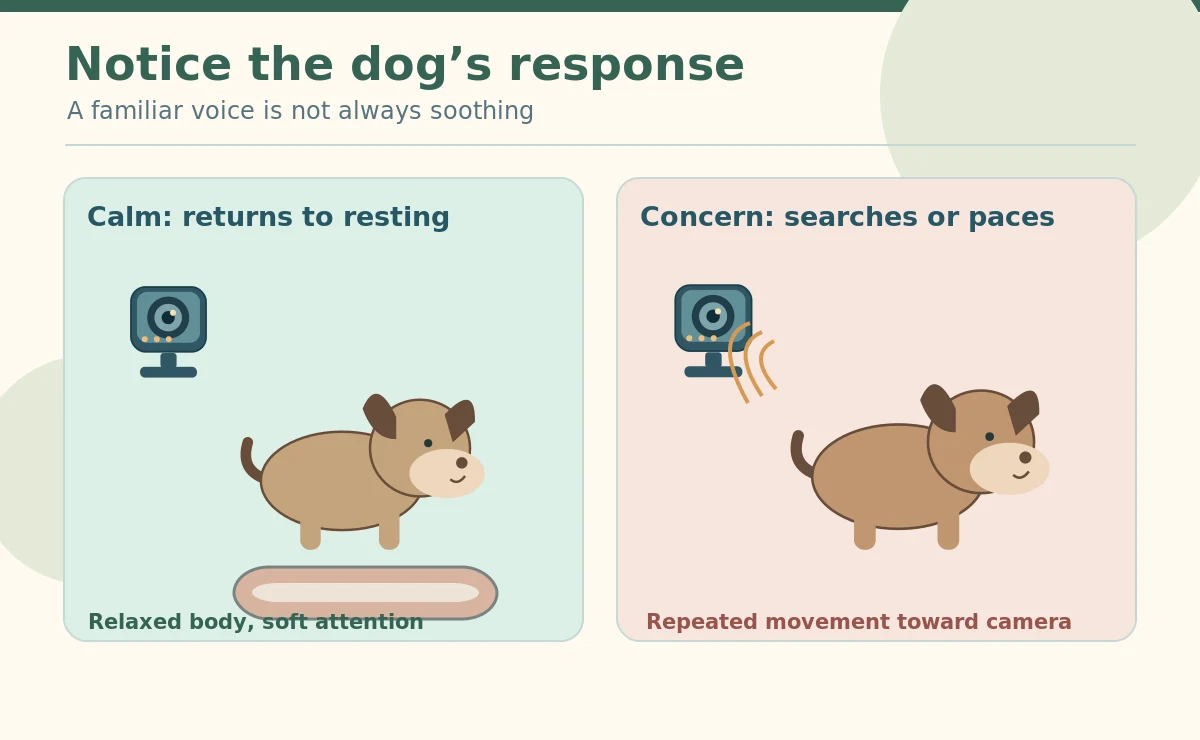
If you want to try the speaker, begin when another adult can observe the pet directly and stop the test. Use a familiar, gentle phrase once at low volume, then wait. Look for a loose body, easy return to resting and normal activity. If the dog barks repeatedly, searches frantically for you, stiffens or paces, stop speaking and consider leaving the feature off. Do not repeat the phrase faster or louder to force compliance. Animals differ, and the same pet may respond differently in a new environment.

Do not use audio as remote discipline
Scolding through a speaker can startle a dog who is already uncertain, and it does not teach what the animal should do instead. Avoid loud noises, commands repeated without feedback, or trying to interrupt a cat’s ordinary behavior by making the camera scary. Reward-based training needs clear cues, timely reinforcement and ways for the animal to succeed. A speaker with delayed sound and no in-person follow-through is usually a poor substitute for that process.
Recognize separation-related distress
The American Veterinary Society of Animal Behavior describes the value of recording a dog while home alone to evaluate patterns of distress. SPCA of Texas also explains how short home videos can give behavior specialists needed context. If video shows persistent vocalization, pacing, panting, salivation or escape attempts, collect a representative clip and speak with your veterinarian or a credentialed reward-based behavior professional. Do not assume that talking frequently through the camera will treat separation anxiety. The response may require a different absence plan and professional support.
Choose whether audio alerts help
Sound detection can capture barking or noise outside the room, but it may also react to television, traffic or a dropped bowl. Test alert thresholds during normal household activity, and consider quiet hours if available. An alert does not tell you why an animal vocalized. A short bark at a delivery truck may be very different from prolonged repetitive howling. Preserve context where possible, and avoid treating every sound notification as a reason to speak through the camera.
Keep speaker volume and timing consistent
A phone volume button does not always control every camera speaker in the same way. Find the setting in the app or manual and test at the location where your pet actually rests. Avoid startling a sleeping pet by speaking unexpectedly in a quiet house. If a family member is already caring for the animal, coordinate rather than adding confusing remote voices. Do not play long prerecorded messages repeatedly unless you have observed a genuinely relaxed response and confirmed there is no adverse effect.
Protect recordings and microphones
Two-way audio can capture private household conversations. Decide whether recording sound is necessary for the pet-related goal and disable it when not. Limit shared access, use unique credentials and enable two-factor authentication if offered. The FTC recommends security updates, encrypted camera connections and care with remote viewers. Tell everyone when audio is active. A hidden microphone can violate privacy even beside a pet bed. Review recordings retention and deletion controls as part of setup.
Make a plan for an unhelpful reaction
If speaking leads to whining, searching, repeated barking or agitation, turn off the speaker and return to observation. Recheck the pet’s environment: comfort, temperature, water, normal exercise and bathroom opportunities. If distress continues, arrange human support and consult your veterinarian. Changing app settings is not a complete behavior plan. If immediate welfare is at stake, contact someone able to go to the pet. Remote voice alone cannot open a door, remove a hazard or deliver care.
Decide whether you need the feature at all
For many households, a reliable quiet video view and recorded clips are sufficient. If the pet reliably relaxes after one brief phrase, two-way audio may be a convenience used sparingly. If the response is inconsistent, leaving the speaker disabled is a valid choice. Evaluate cameras on stable placement, video quality, power safety, security and customer support before paying extra for sound effects. The right metric is what happens to the animal in the room, not how many smart controls the app offers.

How We Research
We first define the camera’s job. Then we compare FTC security guidance, animal-welfare research and current manufacturer instructions. App labels cannot prove how a pet feels. We separate individual product features from general buying advice. We reviewed these sources on October 28, 2026. Read How HubPet researches pet care topics.
Sources
American Veterinary Society of Animal Behavior, How to Tell if Your Dog Has Separation Anxiety. Read source.
SPCA of Texas, How to Collect Video of Your Pet. Read source.
Federal Trade Commission, How To Secure Your Home Security Cameras. Read source.
Safety note: Never leave reachable cables, loose camera parts or insecure mounting hardware near pets. If distress or symptoms persist, seek veterinary advice. For an emergency, follow your plan and contact a real person.
A dog may react to the sound, but recognition does not guarantee comfort. Test gently with someone present and stop if the dog becomes agitated.
No. A camera is not treatment. Video may help a veterinarian or qualified behavior professional understand the pattern of distress.
Avoid remote scolding or repeated commands. Learn the trigger, manage the environment and use reward-based guidance instead.
Some cameras offer separate controls, but features vary. Check the manual and verify the saved recording does not include audio when disabled.
Stop the test if the pet looks upset, searches frantically or cannot settle. A speaker should never encourage jumping toward a mounted device.