
This guide offers general consumer setup and pet-welfare information, not a veterinary diagnosis or a replacement for in-person care. See our veterinary disclaimer for medical limitations.
A pet camera without subscription fees can be a sensible choice if you mainly need live viewing or recordings stored inside the device. But the phrase “no subscription” can hide important differences between viewing a live feed, saving motion clips, finding an event quickly and retrieving video while away. Ask sellers to demonstrate the exact functions available on the specific model and software version before you assume the whole system is free to use.
Separate live view from recording
Free live streaming does not guarantee saved video when no one watches. Check four functions independently: live viewing, continuous recording, motion-triggered event capture and playback of old footage. Note which ones require a paid cloud service and which work with a compatible microSD card or separate local storage unit. The instruction manual, current support page and live app settings are more reliable than a product title. Write down the feature you personally need first: observing a dog settle, reviewing nighttime activity or saving evidence for a behavior professional.
Find the actual storage path
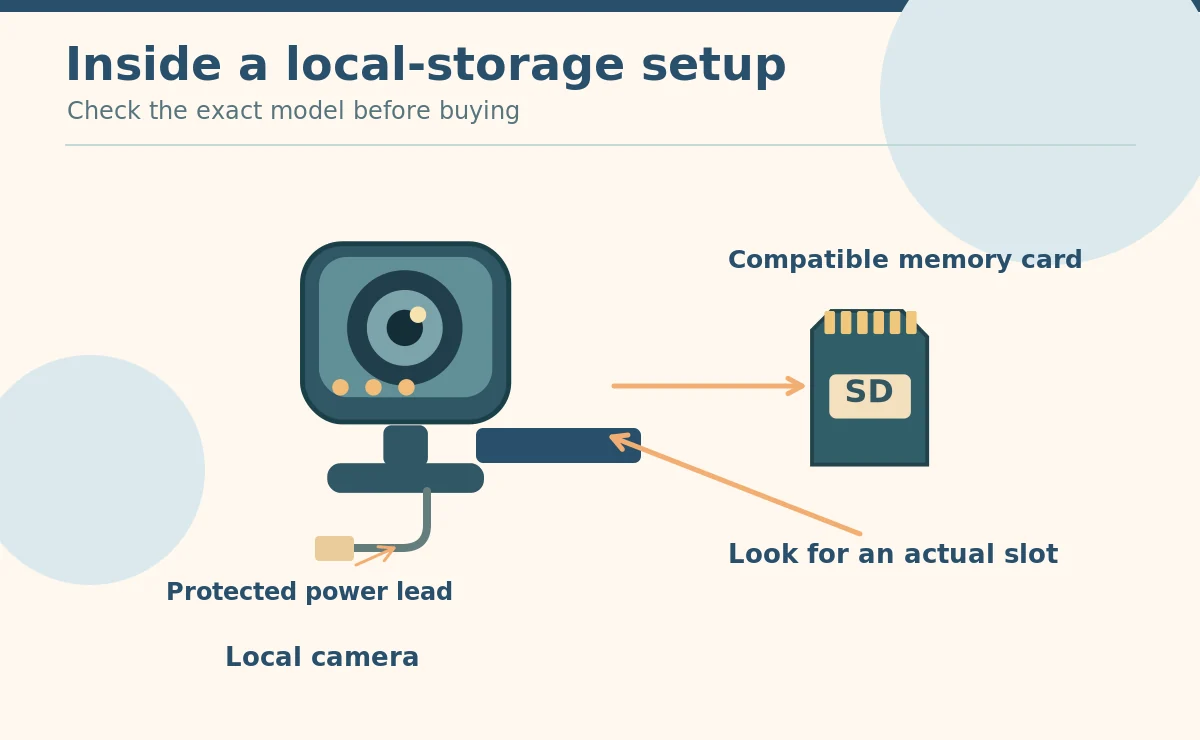
Some cameras write video directly to removable memory; others require a hub, a separate recorder or an internet-based plan. Look for the physical card slot and the supported card capacity and formatting instructions. If a slot is missing, do not assume an app button labeled “save” provides long-term local archives. Wyze’s May 2026 guidance, for example, distinguishes microSD local recording from paid cloud search and detection functions on compatible models. That is a product-specific example, not a claim about every camera brand.
Understand how event review works
Local continuous recording can leave a long timeline. You may need to scrub it manually to find a bark or missed mealtime. A subscription plan may offer searchable events, cloud backup or advanced detection instead. Decide how much time you are willing to spend reviewing ordinary footage. If you want clips for a veterinary consultation, confirm that the camera exports usable video with timing intact. A thumbnail without export or sharing functions offers little value for reviewing behavior across time.
Budget for more than the camera body
A realistic one-time budget can include a compatible high-endurance memory card, a secure mount, cable protection, a charger or power supply, and optional storage hub. Some brands charge for advanced detection or extended history. Even basic live viewing may remain free. Read the current plan comparison and cancellation terms; features and prices can change. Do not invent a five-year saving from a promotional label. Calculate your own cost using the current device price, necessary accessories and only the services you would actually select.
Check what happens when Wi-Fi goes down
Offline recording is model-specific. Some configured cameras continue writing to a card without internet but cannot stream live or send notifications until connectivity returns. Others stop most functions entirely. The manufacturer’s documentation should distinguish what requires Wi-Fi, what requires an internet connection and what works locally after setup. Even a camera that records during an outage cannot send emergency help. With the manufacturer’s instructions, test a safe temporary network outage. Then check whether the device kept the footage.
Look for a usable playback and export workflow
Check whether a phone can read stored footage without removing the card, whether a computer can open exported files and whether the app shows the correct date and time. A short retention window can erase an event before you review it. Confirm whether storage stops at capacity or the system overwrites older clips. For a pet behavior appointment, keep relevant short files rather than an enormous unlabeled archive. Avoid routinely recording guests or private rooms simply because you have storage.

Compare privacy, not just monthly pricing
The FTC recommends strong unique account credentials, two-factor authentication where offered, firmware updates, encryption and controlled sharing for cameras that stream inside homes. Local storage reduces dependence on one paid service but does not automatically make the whole device private. Many cameras still connect to apps, cloud accounts or third-party services. Check remote access, deletion controls and viewer permissions. Also ask how long the manufacturer provides security fixes. A cheap camera with abandoned software can be costly in other ways.
Avoid paying for alerts you do not need
If your pet sleeps calmly for most of the day, a free live view and occasional manually reviewed clips may meet the goal. If your dog has episodes you need to document, reliable recording matters more than marketing terms like “AI pet recognition.” Compare actual saved samples with real movement and ordinary lighting. Pet detection labels can miss a small animal or tag a moving blanket. Keep alerts as helpful prompts rather than proof that a pet is safe, unwell or doing something wrong.
Run a realistic trial before a return window closes
Insert the approved storage media, enable the setting, then record a normal daytime and nighttime cycle. Find a five-minute section, export it, and play it on a different device. Check sound quality and whether the oldest clips disappear as advertised. Ask a household member to try authorized shared access, then remove that access. Verify how the system behaves after a power interruption. Keep the receipt and a copy of the product’s current storage terms. If a requirement fails, use the return period rather than hoping an unspecified update will address it.
Select the simplest device that meets the job
A simple stationary indoor camera may be enough to watch a litter box or dog resting area. Pan-and-tilt hardware, treat dispensers and smart tracking add moving parts and features without guaranteeing better footage. Define one goal, one camera position and the minimum recording length you need. For suspected separation distress, share representative video with a veterinarian or behavior professional rather than relying on automated labels. The best no-fee setup is the one whose limits you fully understand and can maintain securely.

How We Research
We first define the camera’s job. Then we compare FTC security guidance, animal-welfare research and current manufacturer instructions. App labels cannot prove how a pet feels. We separate individual product features from general buying advice. We reviewed these sources on October 28, 2026. Read How HubPet researches pet care topics.
Sources
Federal Trade Commission, How To Secure Your Home Security Cameras. Read source.
Wyze Support, Is 24/7 Local Recording Going Away? (May 2026). Read source.
Wyze Support, How Do Cam Plus and a microSD Card Compare? (May 2026). Read source.
Safety note: Never leave reachable cables, loose camera parts or insecure mounting hardware near pets. If distress or symptoms persist, seek veterinary advice. For an emergency, follow your plan and contact a real person.
Not necessarily. It may mean only live viewing or microSD recording is free. Check current instructions for saved events, cloud history and exports.
Some supported models can keep recording locally after setup, but remote viewing and alerts may stop. Confirm and test the specific device.
Use the capacity, speed and formatting guidance for that exact camera. Continuous video may justify storage media designed for repeated writes.
That depends on the app and model. Test playback, export and file access before deciding that a no-fee camera meets your needs.
No. Account security, updates, sharing permissions and internet connections still matter. The FTC recommends securing all connected camera features.