
Battery backup can help an automatic pet feeder keep serving meals during a power cut, but backup features vary by model. A working clock, a lit display, and a spinning food motor are not interchangeable promises. Before relying on an unattended schedule, check the manufacturer’s manual and run a supervised outage simulation. This guide explains what to inspect without tampering with wiring or relying on a phone alert. For pets needing strict feeding or medical care, involve a veterinarian; see our veterinary disclaimer.
Separate the three outage questions
Ask whether the feeder stores meal times without wall power, whether its motor actually dispenses on batteries, and whether Wi-Fi features still work. These answers may be different. For example, a machine might preserve its clock while losing motor power. Another might serve saved meals yet stop sending app notifications. Read the instructions for the exact generation, because batteries designed for emergency use may not last as long as normal plug-in operation. Do not treat a battery compartment alone as proof of full backup feeding. Confirm each function during a controlled test.
Find the supported battery and adapter requirements
Open the official manual before purchasing batteries. Check the correct cell type, polarity marks, and whether the manufacturer allows rechargeable cells. Also, inspect the adapter cord for wear without opening the electrical base. Use only the specified power supply and an indoor outlet suited to the device. Do not mix old and new batteries or different chemistry types. Never improvise a connection from a power bank unless the manufacturer specifically supports it. A familiar-looking plug is not evidence that the voltage is appropriate.
Choose a safe moment for a supervised test
Plan the test when you are home and the pet has another dependable feeding option. Start with clean dry kibble, a secure bowl, and a schedule you understand. Then photograph or write down the saved meal times before altering power. Check the manual for its procedure; some models require powering down before batteries can be installed. Keep the animal away from the cords and battery compartment. Avoid testing during a medical feeding interval where a missed meal would matter. The goal is learning the device behavior, not risking dinner.
Confirm a scheduled release while unplugged
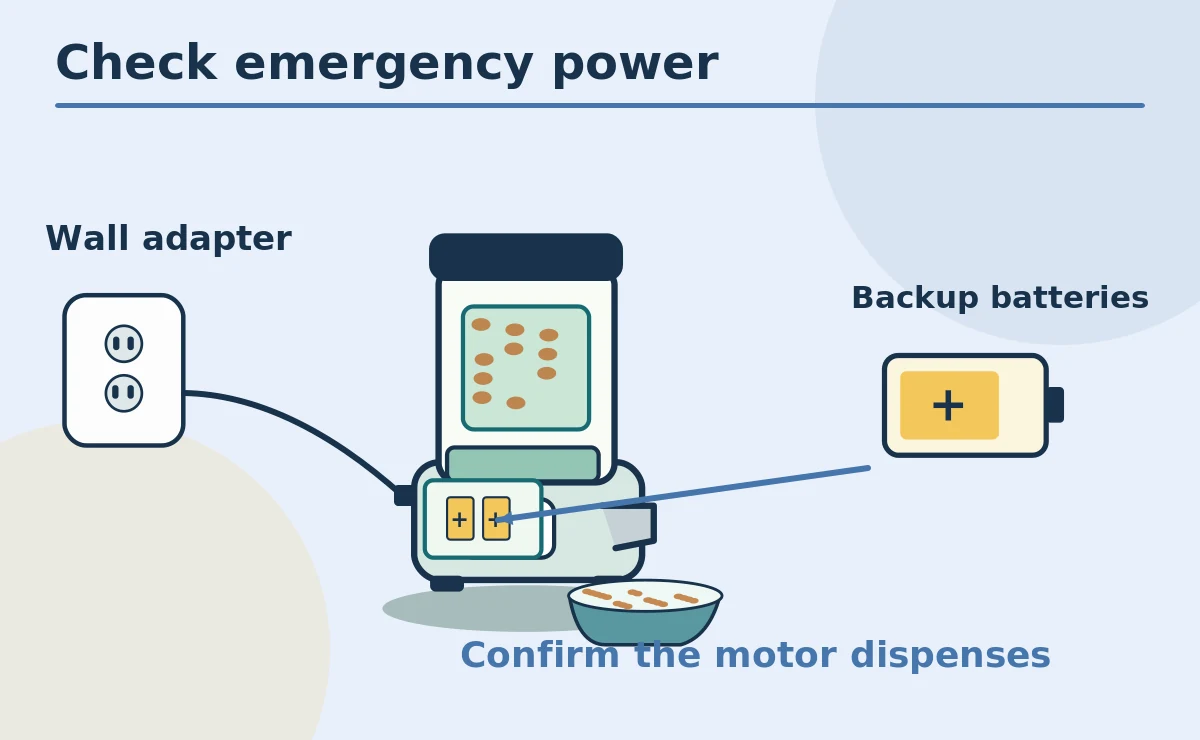
With correctly installed backup batteries and the device ready, disconnect the wall adapter as directed. Wait for a planned small test feeding and watch the chute and bowl. Record whether the meal appears, whether the time stays correct, and whether a warning light changes. Some feeders need a manual confirmation after power returns. Therefore, do not infer success solely from an illuminated screen. If the motor stops or the serving is incomplete, restore normal power and consult support. Never repeatedly run a jammed motor as an outage experiment.
Check what happens when power returns
Reconnect the approved adapter and watch for a normal startup. Confirm that previously stored meals remain correct and no duplicate release is pending. Certain feeders reconnect to Wi-Fi automatically, while others need attention. In addition, verify the current clock and time zone, especially after a long outage. Check the emptying chute, not just the phone notification. Keep the test result with the pet care instructions. If a meal was missed, handle it according to your regular feeding plan rather than blindly doubling the next portion.
Distinguish offline from unpowered
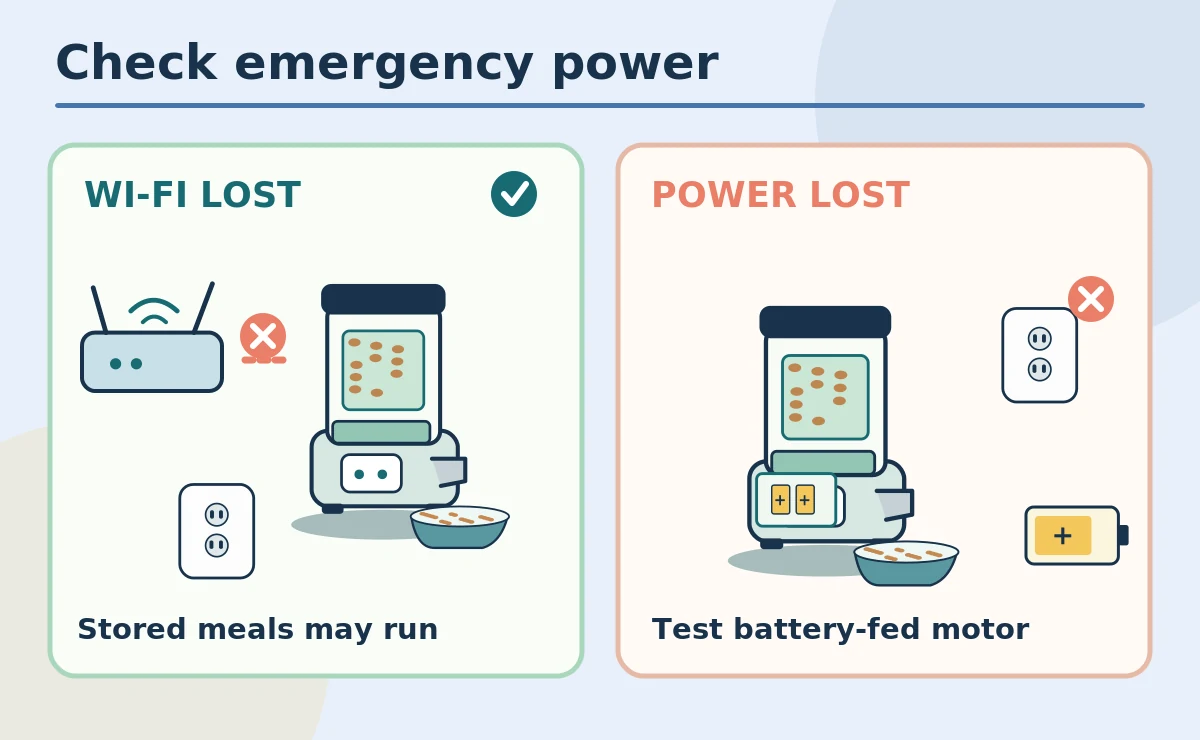
A Wi-Fi outage means the network is unavailable; a power outage means the outlet has stopped supplying electricity. One can happen without the other. For example, PetSafe documents saved feeding on certain powered Smart Feed models while Wi-Fi is offline. However, that behavior must not be generalized to every brand or generation. Battery backup needs its own separate verification. Check both cases if the feeder normally depends on an app. Treat missing app notifications as a monitoring gap even if a local feeding cycle still runs.
Plan battery replacement without guessing lifespan
Manufacturer figures for emergency runtime depend on model and use. For example, some PetSafe guidance explicitly describes batteries as temporary backup, not a primary energy source. Therefore, mark the replacement date and check battery status according to the manual. Keep new batteries in a dry, pet-inaccessible place and never leave loose cells near food. If contacts show corrosion, stop and seek manufacturer guidance rather than scraping them beside the bowl. A battery indicator may not measure remaining motor power perfectly. Test again after replacing the cells.
Create a human fallback plan
Write down who can visit, where a measured spare portion is stored, and how to reach you. Keep food in its labeled original bag or preserve the lot information as the FDA recommends. Also, leave a clean ordinary bowl available for caregivers rather than making them troubleshoot unfamiliar menus. When traveling, arrange a person to check the pet at appropriate intervals. Backup batteries do not protect against spills, an empty hopper, or a blocked chute. A simple contact plan covers failures no battery can solve.
Do not improvise electrical repairs
A wet connector, frayed cord, hot adapter, or unusual smell is a reason to stop using the equipment. Unplug it safely and seek manufacturer support. Never open a powered base, alter internal wiring, or wrap a damaged cord as a permanent repair. Likewise, keep feeders and outlets away from sinks and splashing bowls. A pet may chew cables when bored, so inspect the cord route regularly. An outage test should only use user-accessible controls and procedures that the maker documents. Replace unsafe equipment rather than accepting a shock risk.
Make the result understandable to other caregivers
Create a brief instruction card with the feeder model, normal meal schedule, approved battery type, and a backup contact. Record the date of your last supervised test. However, avoid writing passwords or private account credentials on the card. Show a caregiver where the bowl sits and which signals mean the mechanism stopped. Include a note that an app alert may be unavailable during a network outage. Before relying on the device overnight, verify one ordinary day of powered feeding after your test.
Reassess the setup as needs change
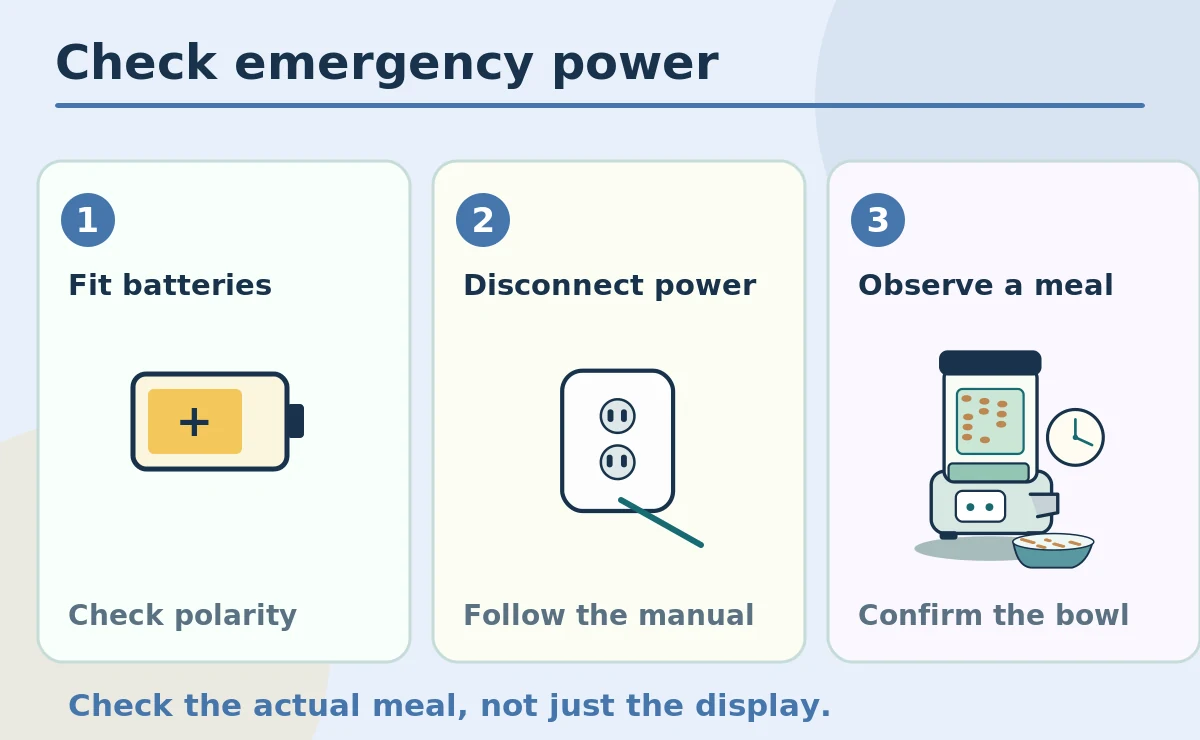
A feeder that worked for an adult pet may not meet a new diet, medication routine, or household schedule. Review the device whenever feeding needs change and after a firmware update or battery fault. In particular, a pet that cannot safely miss a meal needs stronger human oversight than a battery claim can provide. Check food freshness, bowl hygiene, and the actual delivered amount. If repeated outages are common, discuss a practical manual feeding arrangement with caregivers. Dependable care includes observation, not only automation.
How We Research
We cross-checked manufacturer instructions for the specific feeder mechanisms described here and FDA or veterinary guidance where food handling and feeding routine matter. We separate documented model behavior from general shopping advice. Features such as backup batteries, local schedules, cleaning access, and portion units vary across devices. Review the current manual for the exact product before relying on a scheduled meal. Learn more about our approach on the About HubPet page.
Sources
PetSafe: Smart Feed Power Troubleshooting. Refer to the source for model-specific instructions and current food-safety guidance.
PetSafe: Smart Feed Setup and Battery Backup. Refer to the source for model-specific instructions and current food-safety guidance.
FDA: Proper Storage of Pet Food and Treats. Refer to the source for model-specific instructions and current food-safety guidance.
No. Some batteries protect the clock or settings but not the dispensing mechanism. Consult your model guide and verify a small scheduled release.
No. An offline network can leave the feeder powered. A power cut stops wall electricity unless suitable backup is operating.
Run a supervised test when a caregiver is present and an ordinary bowl is available. Follow the manufacturer’s exact instructions.
Do not automatically double portions. Follow the pet’s feeding plan and ask your veterinary team when a medical schedule is involved.
No. Batteries cannot confirm eating, fix jams, or handle spills and illness. Arrange appropriate human checks and a backup feeding plan.